

 TreeholdComing to iPhone and Android
Build your family tree, then share one link so relatives can see it and add to it.
Treehold is a family tree app we're designing for iPhone and Android. It isn't built yet and there's no launch date.
How it works
Made for the person in the family who holds the research, and the relatives they want to bring in.
- 1
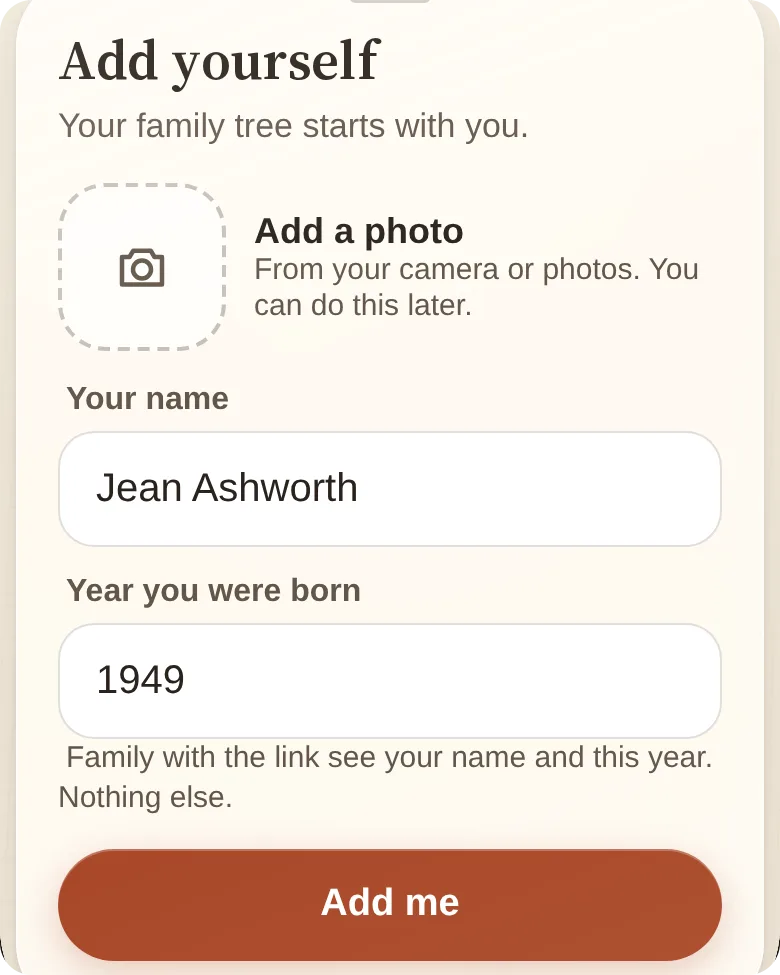
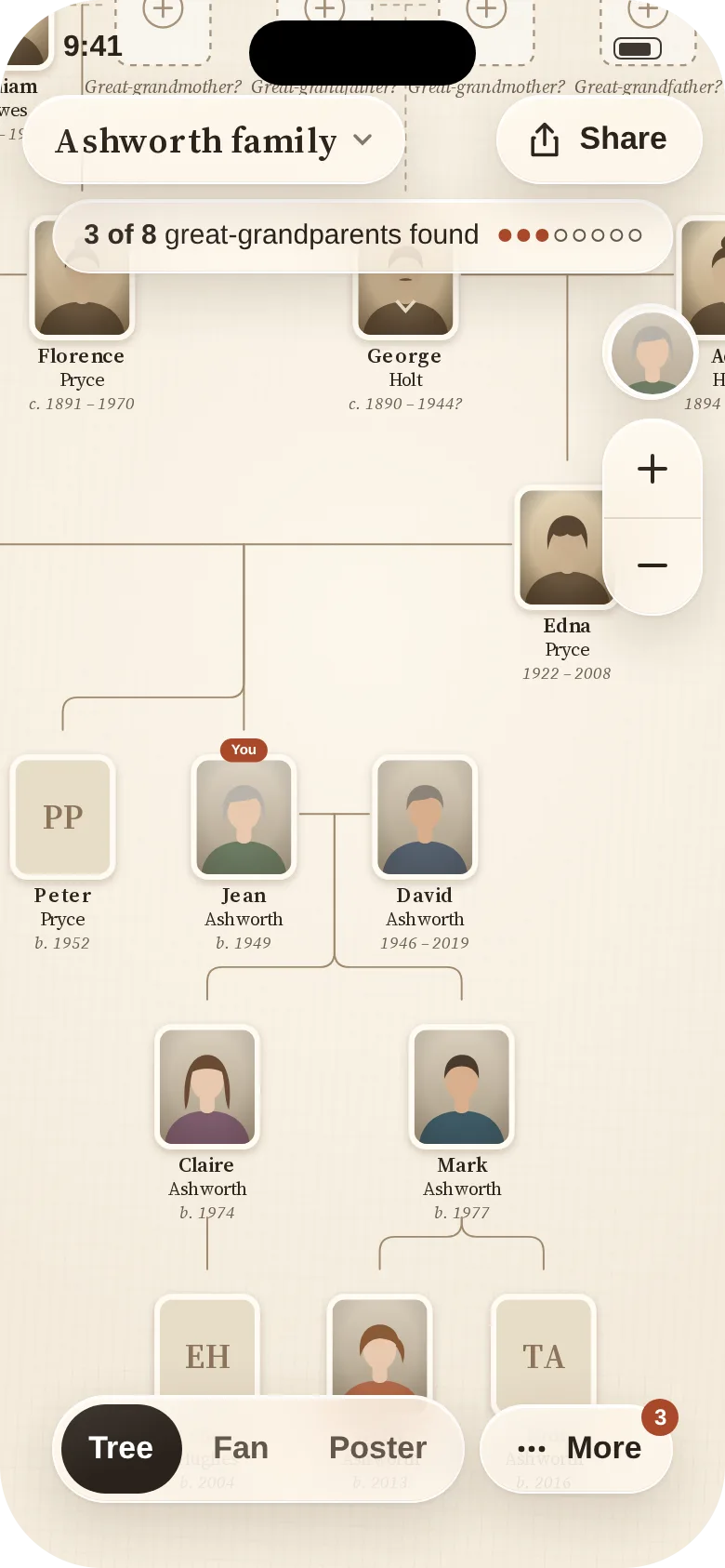
Add yourself, then your parents, partner and children.
- 2
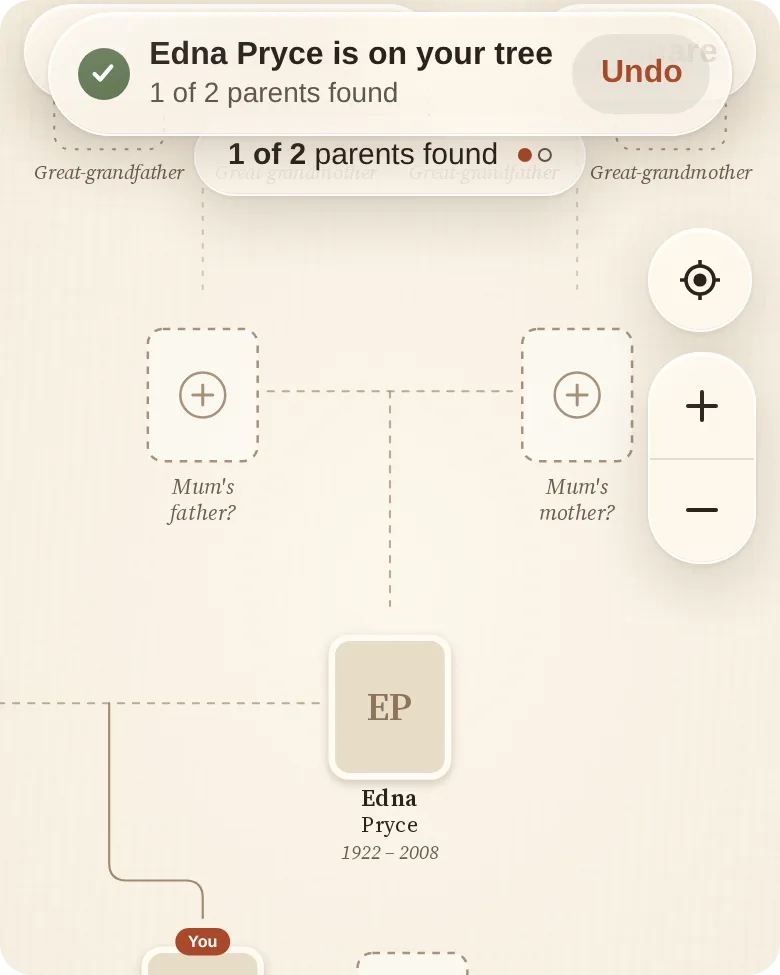
Fill in the blank cards for the generations you're still missing.
- 3
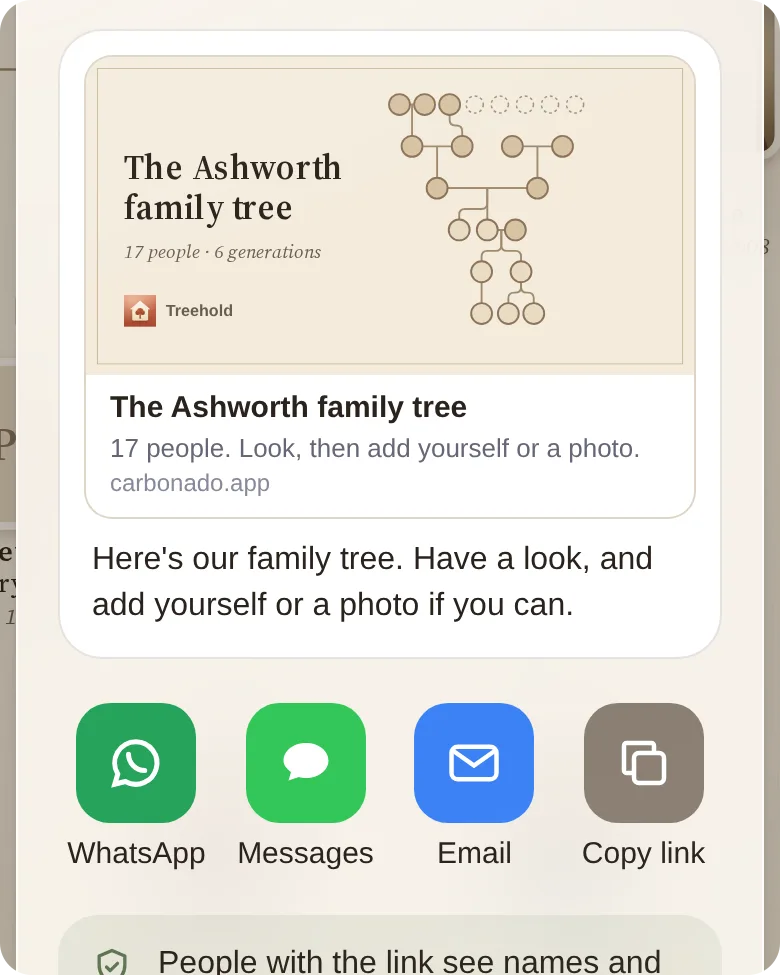
Send the tree's link to the family so they can look and add to it.
What's free and what Plus will add
Free
- Building the tree, with unlimited people
- The link, and viewing and adding for the whole family
- Bringing in a GEDCOM file from Ancestry or other software
- Taking your research out again as GEDCOM at any time
- Every privacy setting
Plus, one payment
- Poster-size exports to print wherever you like
- Three more tree styles
- Named relatives who sign in can see full details of living people, unless that person has chosen not to be shown in full
- No subscription and no trial
Treehold won't search census or other records for you, give hints from public databases or offer DNA testing, so you'll bring your own research. The price of Plus isn't decided yet.
Questions
Do relatives need an account?
No. Anyone with the link can look at the tree in a browser. To add to it they'll get the app from the link and give their name and year of birth. You and any co-owners will sign in with Apple or Google.
What can people with the link see about living relatives?
A name and a year of birth. Children under 18 show a first name only. Birthdays, places, photos and stories of living people stay hidden, and people who have died are shown in full.
Can someone take themselves off the tree?
Yes. Anyone on the tree can tap This is me to choose what's shown about them, or Remove me to hide themselves straight away. The owner can't undo a removal.
Can I bring in the tree I already have?
Yes, as a GEDCOM file from Ancestry or other family tree software, and you'll be able to take it out again as GEDCOM for free.
Will the tree show up on Google?
No. Tree pages will be kept out of search engines, and the preview in a family chat shows the tree's outline, never a living person's name or face.
Get one email when Treehold launches
A family tree the whole family can see and add to from one link.