
 CrispCopyComing to iPhone and Android
Scan any paper to a clean PDF on your phone, with no account and no watermark.
CrispCopy is a free document scanner and PDF maker we're building for iPhone and Android. It isn't in the App Store or Google Play yet.
How it works
Three steps from a sheet of paper to a PDF in the folder you want.
- 1
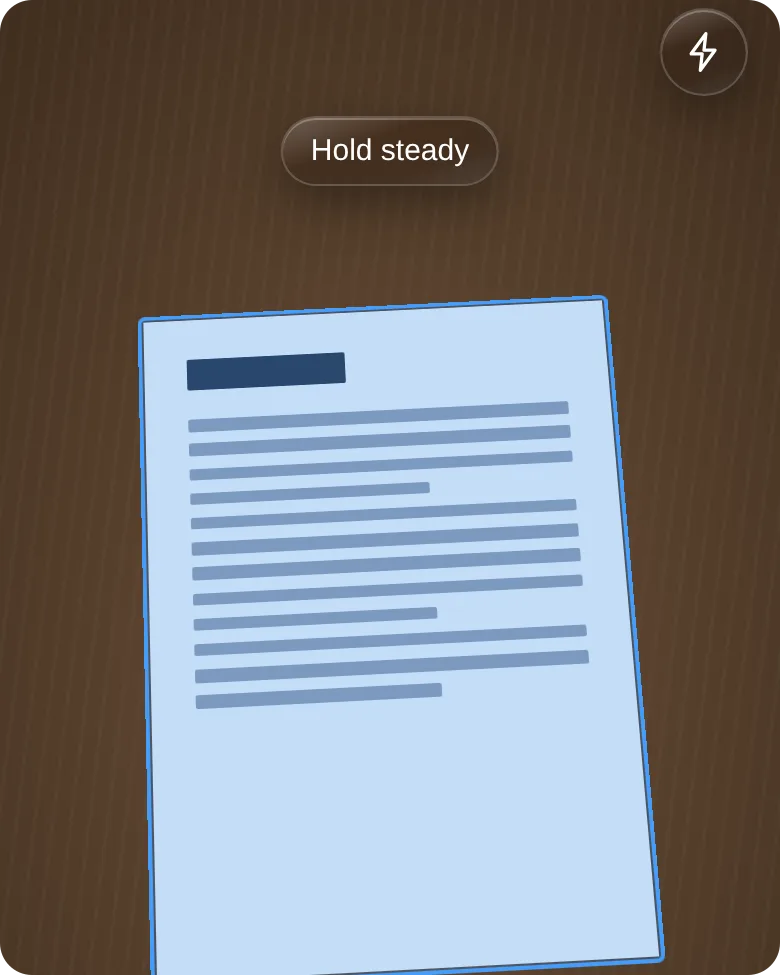
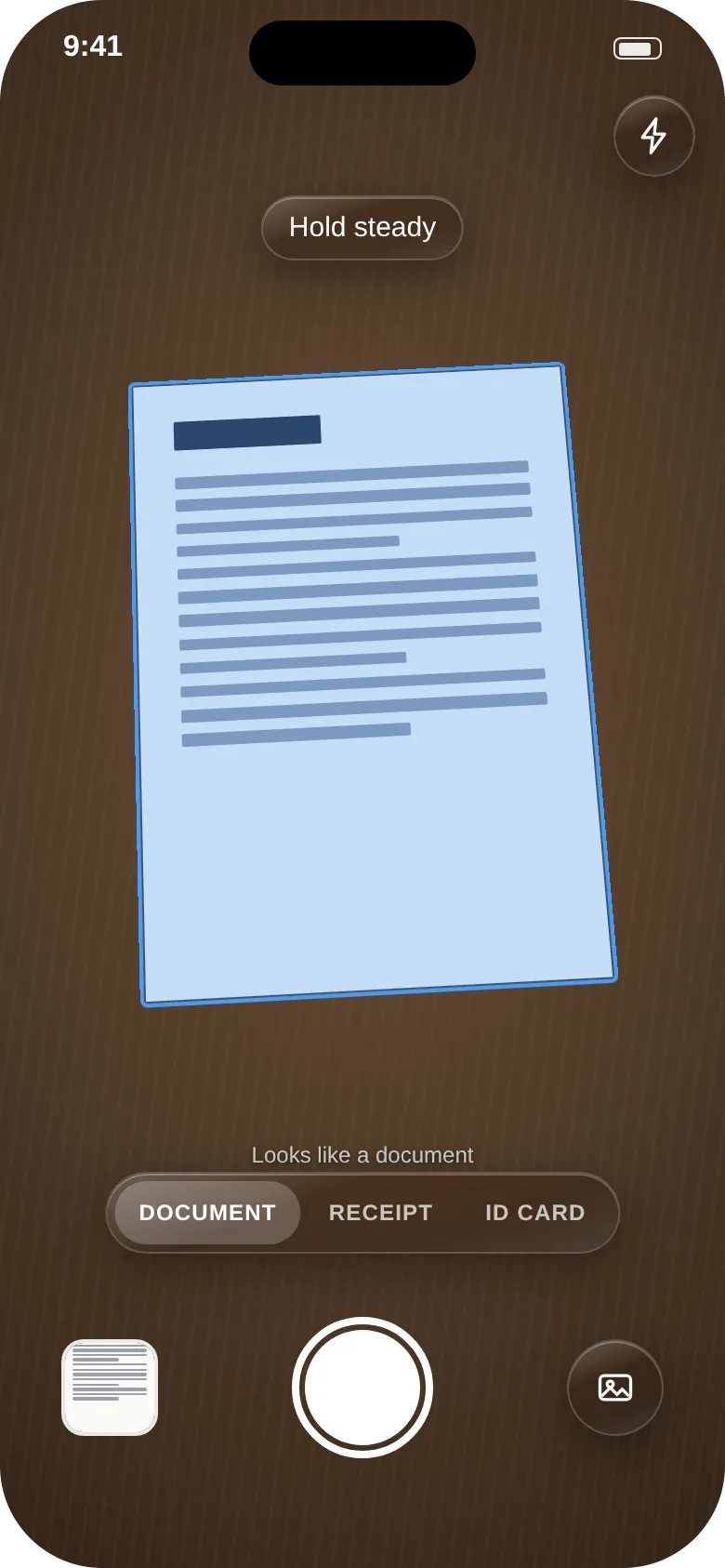
Point your camera at a document, a receipt or an ID card.
- 2
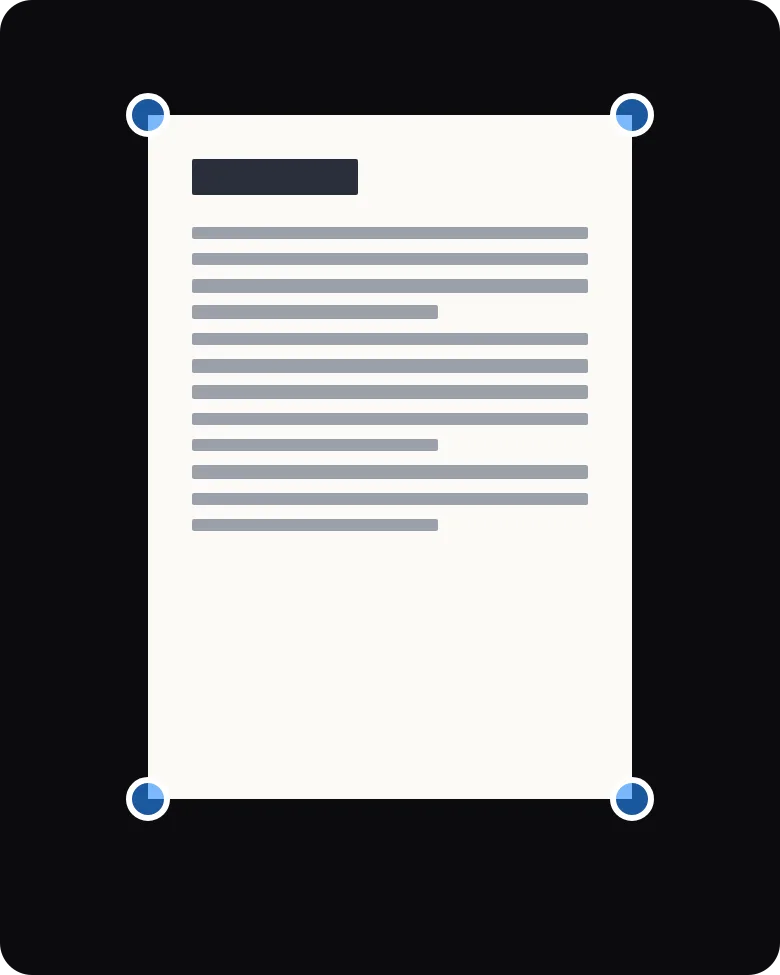
Check the page, and add more pages if it runs on.
- 3
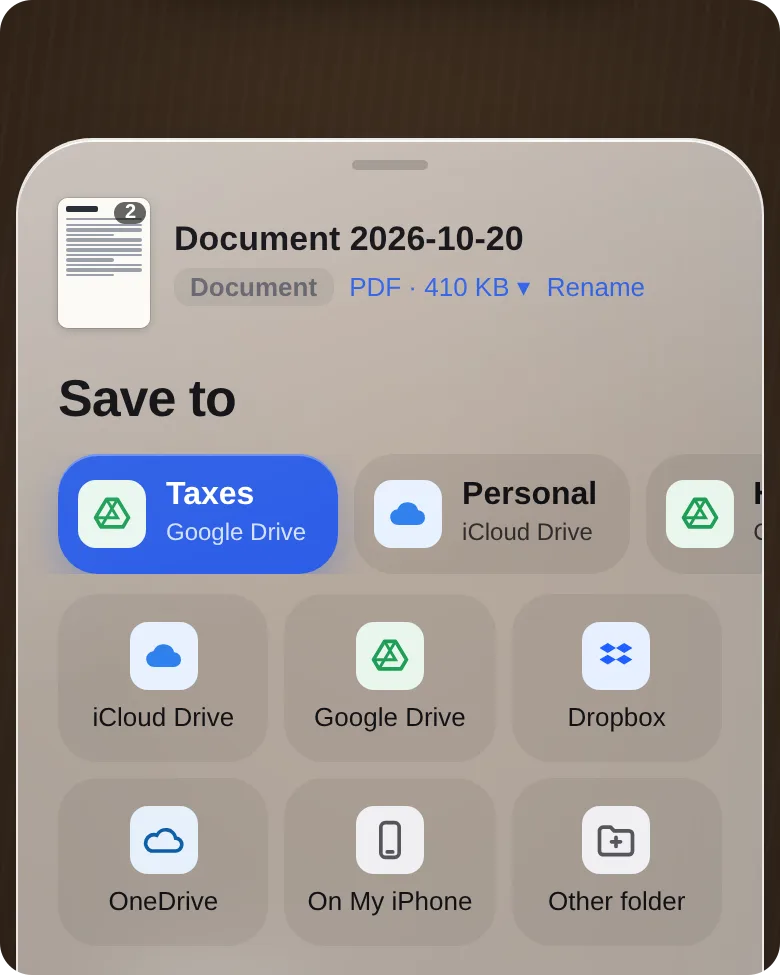
Save it as a PDF or JPEG to Files, Google Drive or any folder you pick.
Free guides
Free guides to scanning, PDFs and paperwork on your phone.
Scanning documents with your phone
How to turn paper into clean, readable scans with an iPhone or Android phone, using built-in tools first.
What's free and what Pro will add
Free
- Unlimited scans and pages
- Document, receipt and ID card modes
- Save as PDF or JPEG to any folder
- Turn a photo you already have into a PDF
- No watermark, no ads and no account
Pro
- A default folder for each kind of document
- Naming templates
- Searchable PDFs and copy-text
- Merge, split and reorder pages
- Shrink a PDF to fit an upload limit
- Try each Pro feature three times free
CrispCopy won't edit the text inside an existing PDF, fill in forms or add e-signatures, and at launch it can't make password-protected PDFs.
Questions
When will CrispCopy be out?
It's in development and there's no release date yet. Leave your email above and we'll send one message the day it launches.
Will my documents be uploaded anywhere?
No. CrispCopy will never send your documents to us. They'll go only where you save or share them, such as Files, Google Drive or an email.
Which phones will it work on?
iPhones on iOS 16 or later and Android phones on Android 10 or later. The phone layout will also run on iPad.
What happens to my scans if I delete the app?
They stay where you saved them. CrispCopy saves to your own folders instead of keeping its own cloud.
How much will Pro cost?
The price isn't decided yet. There won't be a free trial that turns into a charge or a weekly plan, and a lifetime purchase will never be turned into a subscription.
Get one email when CrispCopy launches
A document scanner and PDF maker for iPhone and Android with no catch.